All posts by Mindful tester

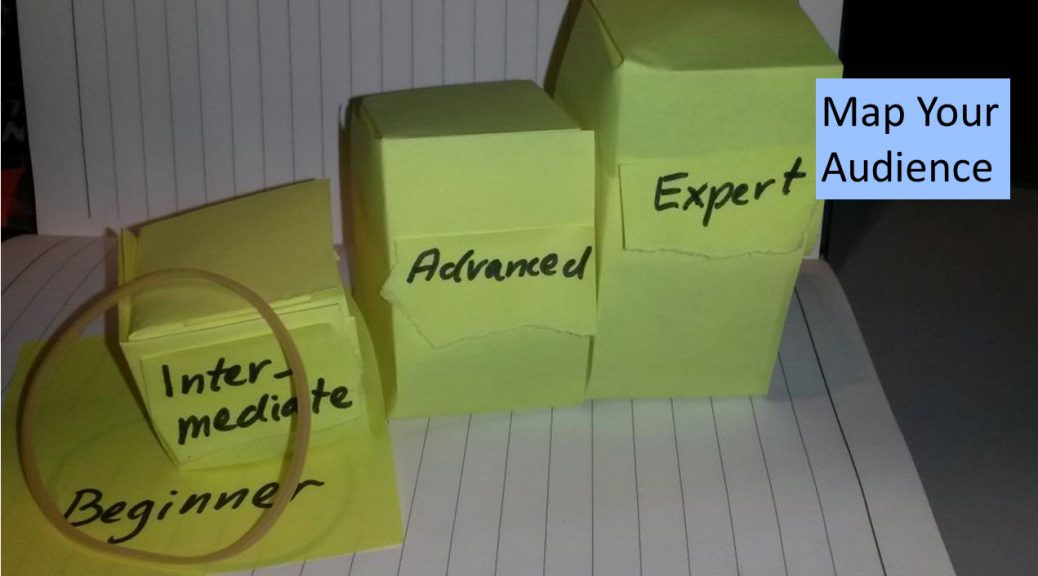
Map Your Audience

On Twitter I saw the doubts about giving a talk about basic stuff. A person reacted that beginners need this information.

I agreed.
My reaction was that you need to pay attention to the  Zone of Proximity.

Rejected and reinvigorated

In the summer 2018 my proposal for a talk about testing and General Data Protection Regulation or GDPR was rejected by a test conference. A bit more tweaking.

This did not stop me to take this talk to the same conference. No speaker dropped out, so I turned it into a blog post serie.

Another opportunity opened for me. In the meantime I had gathered enough material for a workshop. My proposals for a workshop and a talk for the subject were turned down again. A little more patience.

It was April 2019. In Rotterdam a WordCamp was organised. This is a 1 day conference for WordPress users. There was a contest for an open slot, which I lost. Close, but honoured to lose.

In May 2019, I was notified that my workshop “A Lawful Thing To Test” was accepted by Agile Testing Days. Only 1 year to get my proposal right.

Lined and dotted

My reason for picking the beginner level was that I had studied GDPR for 1 and a half year. Another reason was that laws are uncommon ground for many testers.

A workshop or talk is great, if I do some practice rehearsals. So how did I find audience in the past?

For my rehearsals of a talk about a performance test I had 2 persons. That is not a lot.

Looking back a simple scale from unfamiliar with the project to familiar with the project might give enough feedback. This way
I got two dots at the end of the scale.
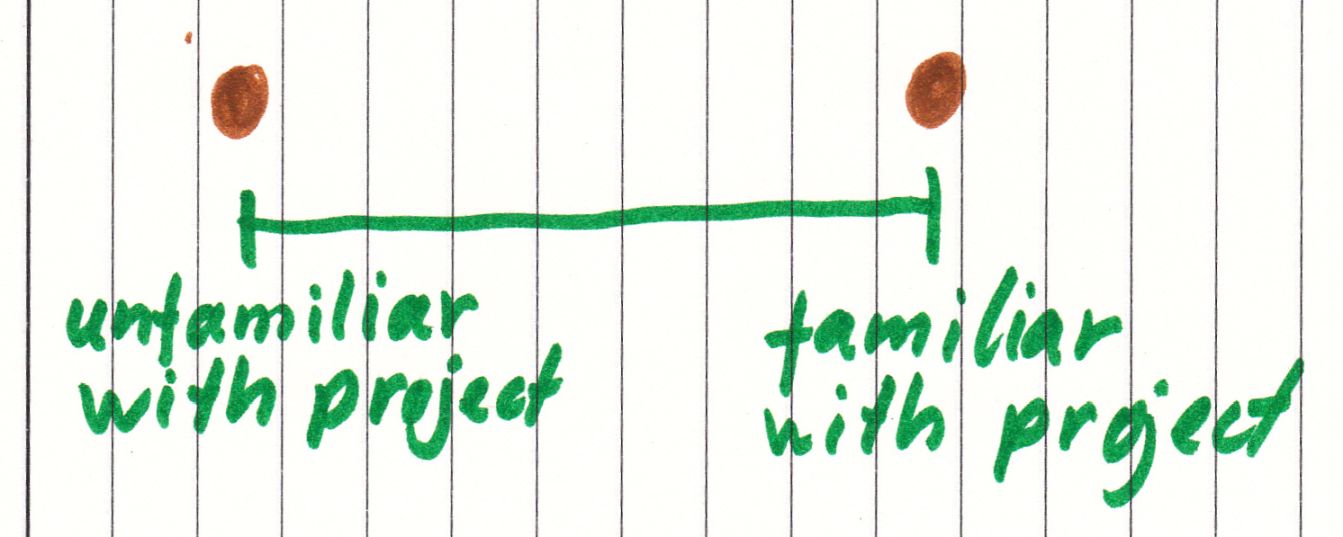
Scale from 'unfamiliar with project' to 'familiar with project' and two dots on the ends!
Another way to map these persons was looking at the experience with performance test. This results in the following graph.
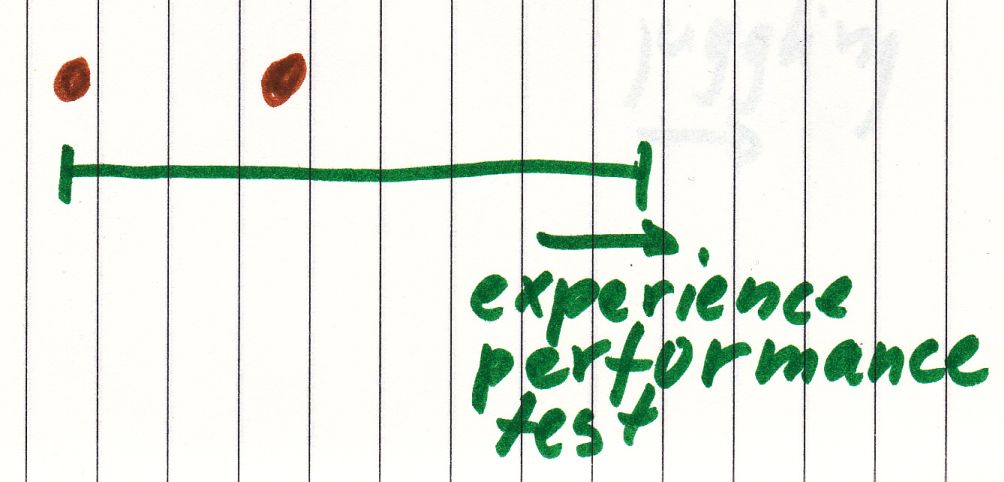
Graph with a scale for 'experience performance test’, one dot at the beginning, and one dot at the middle!

For my rehearsals for my workshop about juggling and testing I had 5 people. Nowadays I would use a 2 dimensional mapping with two axes for juggling and testing.
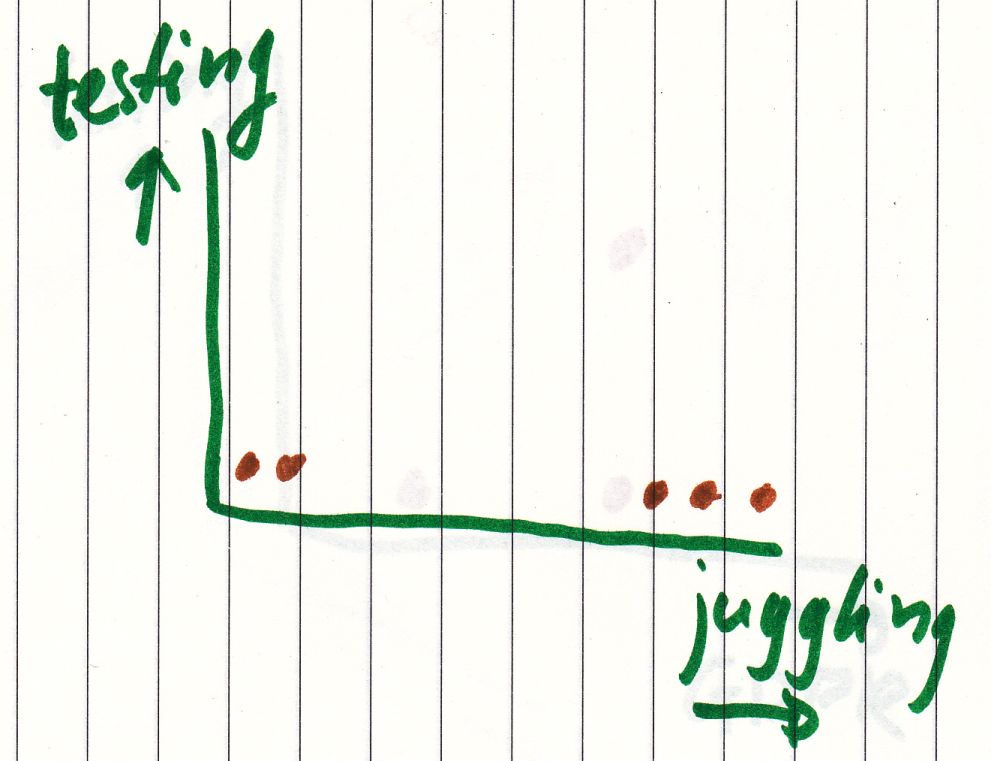
A two dimensional graph with a horizontal axis ‘juggling’ and the vertical axis ‘testing’ with two dots in the left bottom, and three dots in the right bottom!

For my workshop about testing and GDPR a 2 dimensional map is enough.
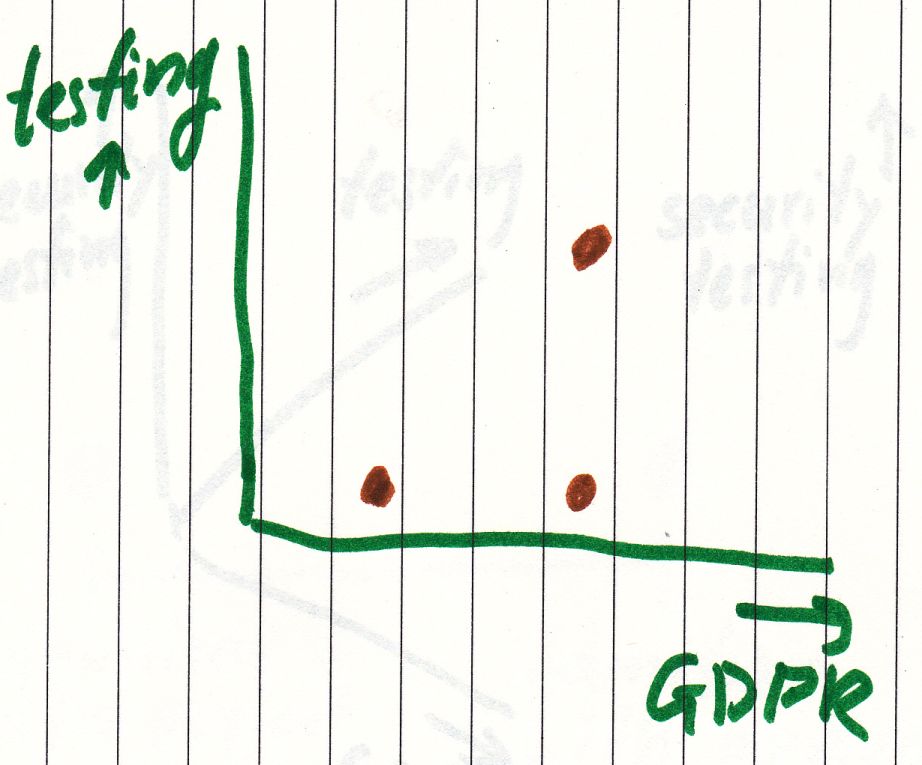
A two dimensional graph with a horizontal axis ‘GDPR’ and the vertical axis ‘testing’ with one dot in the left bottom, one dot at the middle of the botton, and one dot in the middle!
I might add a 3rd axis with security testing.
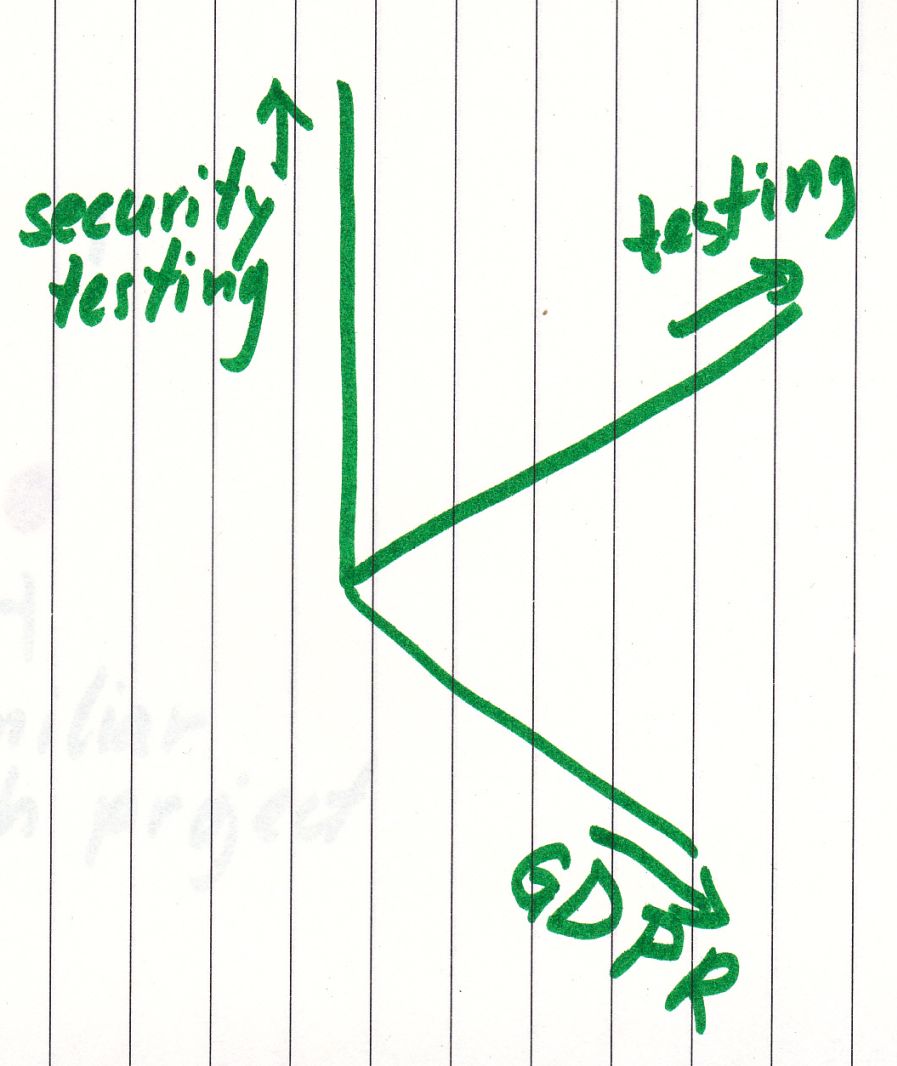
A three dimensional graph with an axis ‘security testing’, an axis ‘GDPR’ and an axis ‘testing’!

But why should I ask experienced persons to test my workshop for beginners?

Told and sold

Suppose I would direct the movie Monsters Unlimited. Kids want to go and adults have to join. If there are only kids’ jokes, then parents would say:
“It takes 2 hours, but your kids have a great time.”

If I am smart, I would put in some jokes for grown-ups.
Advice could change to:
“This is a family movie.”

KYA or Know Your Audience is not difficult for a speaker.  My target audience for 1 talk was people unfamiliar with this subject. I asked, how many people had experience with performance testing.
I could not count the number of raised hands.

Brief panic.
Desperate joke:
“What are you doing here?”
I relaxed myself and continued.
I had intensively prepared myself for this.

This experience shaped my rehearsals.
My hands on workshop about testing and law is for beginner level and still experienced people might attend it. For all kinds of reasons.

  • Would you please accompany me to this workshop? You know about Exploratory Testing, so I can whisper some questions.
  • It is good for the group that we attend the same workshop. I know your expertise. Sorry, group first.
  • I have 3 years of experience with testing and GDPR. I might have missed something.
  • He writes good blog posts. I want to see him in real life.
  • He’s on Twitter.
  • He juggles.
  • Catan.

My challenge as a workshop leader is to provide information on 3 different levels:

  • If you see this, then you should do that.
  • If you use these patterns, you will find similar problems.
  • If you use this approach, then you can learn a lot more than now.

Finishing note

The Zone of Proximity is useful to let people grow in new jobs.
Minority Tester Report

This is not a science fiction movie set. It’s a blog post.

Minority tester

It is a good practice to define a minority tester before heading off.

Sorry, I prefer to tell about it.

In my career as a tester I can only remember one peer who had an engineer degree in Computer Science like me.  This is not the minority tester I want to write about.

In 1991 I wrote my first program for a software supplier. At the moment the majority of my peers in the industry are younger than me. This is getting closer to my image of a minority.

Most people in the Netherlands don’t look like me. I feel a minority tester, if they mention it.

The Good

During a hiring event I visited a company which really cared for their employees.
“If they hate the clock, I remove the clock.”
The CTO looked for potential in people, not for the other things.

I talked about IT and where testing is heading to.  There was no single question about how I looked.

Once upon a time  I clicked on a button in LinkedIn
and I got attention weeks later. My standard answer of “no test automation experience” was dismissed.

So I visited the website. This was the first time I saw a company explicitly encouraging minorities to apply. Benefits were also shown on the same page.

During the hiring event I spoke with a manager. We had a good discussion about testing. What are the limitations of automated testing? How could exploratory testing add advantages?
I felt appreciated for my experience and knowledge.

Another time another company.

10 minutes in the job interview I told about an idea popping in my head. There was an expectant silence. I told how Test Driven Development could be used with tools they used. They liked it.

The interview changed in a chat between peers exchanging thoughts about testing. My CV was referred to less and less.

The Ugly

Some of my red flags or alarm bells. Also known as some signs that I will not be hired.

  • There are managers who spent a lot of time on my explanations for changing jobs.
  • “We doubt there is a fit.”
  • “Where are you from?”
  • “No test automation experience. That is bad.”
  • I was never hired by a company where HR people used telephone interviews for the first round.
  • If I have no space left to tell something during the job interview.

Not Bad

How to get talented minority testers in your company.
Spoiler: there is an abundance available.

  • Use social media. There is strong Test Community out there.
  • Organise meetups with talks. In case of shortage of speakers hire a minority tester to give a talk or workshop. On a regular basis lists are exchanged on Social Media.
  • Sponsor diverse test conferences like TestBash, Euro Testing Conference, and Agile Testing Days.
  • Give a number of free diversity tickets for tech conferences away.
  • If you have experienced speakers in your company, there is an option to mentor diverse speakers via TechVoices.
    [Update: TechVoices was formerly known as Speak Easy.]
  • Listen to the answers of the job seeker and explore the reasons. My side project is speaking.

Happy hiring!

A Bit More Responsive

Years ago some websites looked terrible on my smartphone. They looked like websites viewed from 6 meters distance.

The first time I visited my blog with my smartphone, I was really anxious: “Does it look right?”

5 seconds later “What did I worry about?”

Disclaimer

I am not a legal expert. So please have a look at my used sources. Or contact a legal expert.

I am just a tester finding test ideas about accessibility. Thanks for joining in advance.

Some test responsiveness stories

My first tablet app to be tested was intended for an iPad. I had a Windows PC instead of the tablet. This was not right.

My solution was to install Safari and let it emulate an iPad. In other words: “I know you are a Windows machine. Now you function like an iPad.”
It sounds like a hypnosis act.
“What did I worry about?”

This work around did not stop me to demand an iPad. There is nothing like the real thing.

Responsive web design is basically about creating the best possible user experience in the assigned space on the screen.

This blog looks good on a mobile device and a laptop. The same features are shown only in a different order and in a different way, but it feels the same. Really responsive.

The last years I learned CSS or Cascading Style Sheets. CSS determines how the websites looks. It is even possible to change the locations of web elements.

If I look to this website in a browser on a laptop, I can make the window smaller by resizing the window. The effect is that elements of the web page are resized or relocated or not shown any more.

During a debriefing a developer showed me this resizing trick.
Resize and look for bad things like hidden buttons or partially shown texts.
It is a fast way for the first impression.

Can not install on my machine

All that resizing stuff is not an exact science and Safari … cannot simply be installed on a company laptop because of a company policy. So I did a bit of research. If you don’t mind.

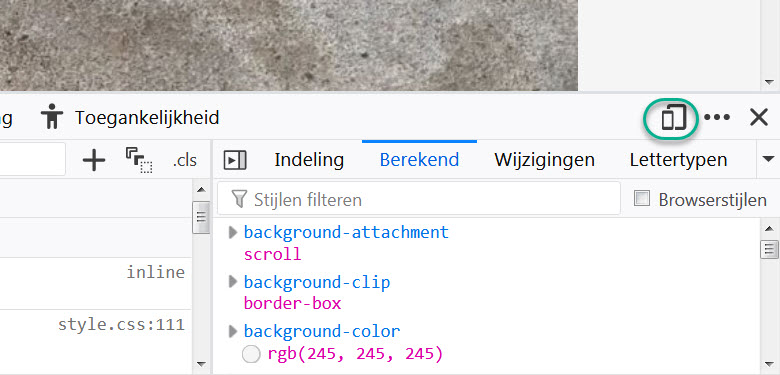
Firefox has a special feature Dev Tools. It can be accessed using the F12 key. In the upper right corner of this sub window there is a button with two rectangles, which look like a smartphone and a tablet.
A green eclipse marking a button with a smartphone and a tablet in the menu bar of Dev Tools!

This opens a lot of options to test smartphones and tablets.

It also support the screen orientation like portrait and landscape.

Just look to this website on a mobile phone while holding it in portrait mode. Then change it to landscape. In portrait mode only the headers of my last blog posts are shown, in the landscape mode the last complete blogs posts are shown. Courtesy of my website software.

Chrome and Edge also have Dev Tools which can be accessed using F12 key. Both Dev Tools windows have an emulator tab for mobile devices.

Concerning responsiveness

One of the biggest search engines decided to give a higher ranking to mobile friendly websites. So support for small screens can give a positive boost to let a user find a website.

Most people have a PC or laptop with 1 screen. It is sometimes tedious to switch application. So I tend to resize the applications to fit more of them on my screen. My preference is squeezed and usable.

Another thing for responsiveness is language. Some customers prefer to use a website or application in their own language. OK is translated to OK, but Cancel to Annuleren or Annullieren. So the button should be resized after translation.

Responsiveness is not only about reshuffling web page elements. It is also about resizing the web page elements in case of bigger fonts.

Suppose I have bad eyes, then I need to make fonts bigger so that I can actually read the text. Pressing the Ctrl key and the + key at the same time will enlarge the text in browsers and Windows applications.

Problem solved?
No, I am so sorry.

As a user I have to scroll a lot. It is like watching a picture which is split over three different screens. I have to change my seat to get the whole picture.

In 2024 this could have some legal consequences in Europe.
In Annex 1 of the European Accessibility Act “flexible magnification” is mandatory for specific commercial websites.

In case of American customers for an e-commerce website there is a law already in place at this very moment. Americans with Disabilities Act (ADA) explicitly points to  the WCAG or Web Content Accessibility Guidelines on page 196 of Americans with Disabilities Act Title III Regulations.

In WCAG  also attention must be paid to screen size and orientation.

One more chat

“How would you like your website?”
“Responsive please.”
“No problem.”
“Thank you, my dear.”
“You are welcome, grandma.”