WordPress is frequently used for websites and therefore attractive to some unfriendly people. So I reconfigured my WordPress security plugin.
And the mails of failed logins started coming in. It was not me, so someone else wanted to use this web site.
A short history about my tooling
For me web site security is something to review on a regular basis. It all started with an article in a magazine. I put some elementary stuff in place: limited number of log ins and removed the login from the web site.
Over the months I added extra stuff like SSL. It encrypts the traffic between the browser and my web site. In other words my user name and password are unreadable for interested bad guys
Troy Hunt mentioned SSL in his free web course with the haunting name: Hack Yourself First. Cheers mate.
In case you missed it SSL can be obtained for free at Let’s Encrypt.
At a regular basis I updated the software for my web site. I thought I was quite good until I changed the settings.
A short note about security
Some people might complain about the default security settings of their web site settings. Believe me things can be improved. If you do not set the WordPress settings right, then the user name is shown instead of your writer’s name on the blog post. Luckily there are plugins. (As a Dutchman I could not ignore the free ones.)
I thought about the default security and try to explain to you. If I buy a house, it has standard locks. If I want to keep the baddies out, I have to use the keys.
There are no special keys and locks involved. In case I need them I have to change them.
My new house has no vault or armed guards. If I need them, then I have to change something.
Shorten my list of security mails
So I had changed something and security mails came into my mail box. I noticed that there were mails with wrong user names and passwords. Not good.
After a few days I expected them to stop. You know: “Oops wrong web site. Sorry for that.” But the flow of failed login attempts did not stop. So I had to change something. Again.
I remembered a firewall in one of my WordPress plugins, so I had my first taste of a firewall. Dry, not shaken.
I had IP addresses of the sources of attack. Courtesy service of one of my WordPress iplugins.
An IP address consists of 4 numbers separated by a dot (.) like the invalid 345 345.345 345.
So I put the most offending IP addresses on the black list.
Three strikes and you are out.
The brute force attacks continued. The following combinations were used:
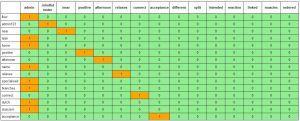
The user name is in the heading and the password is shown in the first column. More details about this teaser will be added in the appendix.
My action did not change the flow. I used the asterix. 345 345.345.*. All people coming from IP addresses starting with 345.345.345 got blocked.
Wrong zone. Offsite. Stop the game.
It looked like I had put oil on fire. My normal mails were somewhere between the security mails.
I also noticed that black listed IP addresses still passed through. So there were apperently some smart guys pick locking the door of my web site. I’ll add some words to this assumption at the end.
It was time for harsh measures. I was so focused on the mails, that I skipped my notetaking. In my logs other URLs were mentioned. I clicked on one containing wp-admin and noticed that I saw my login page.
I changed a name somewhere and the security mails did not come in any more. Phew.
Brief briefing about red teaming
My list of WordPress plugins would be quite interesting for the people who really want to block out the intruders. The main reason I do not list them is red teaming. This military term is like give my plan to the red team, who will misuse this knowledge to my full disadvantage. Did you notice that “full” sounds like “fool”?
My steps for red teaming of my web site:
- Install the web site with all plugins.
- Configure the web site and the plugins.
- Look at www.cvedetails.com for any bugs.
- Misuse the listed CVE or Common Vulnearbilites and Exposures.
- Go to the subdirectories and look for strange files.
- Look whether those files are accessible from the outside.
This reads like the plot of a bad B movie. But it works.
A short note about security
Some people might complain about their default website settings. Believe me things can be improved. If you do not set the WordPress settings right, then the user name is shown instead of your writer’s name on the blog post. Luckily there are plugin.
I thought about the default security and try to explain it to you. If I buy a house, it has standard locks. If I want to keep the baddies out, I have to use the keys.
There are no special keys and locks involved. In case I need them I have to change them.
My new house has no vault or armed guards. If I need them, then I have to change something.
Had a short glance
The days after the intentional reduction of my mail I had another look to my log files. My login page was requested several thousands times in a month. And I can assure you that I was not blogging so much.
There were other pages or URLs which led to my login page. So a check on the hits on my login page would give me the wrong impression of safety. There are people who do not like to use numbers or metrics. Some numbers can be really useful when pondered upon.
Somehow I had not paid attention. Too much focus on blogging. Obviously.
An article of Santosh Tuppad was quite helpful to increase the security. Thanks mate.
I even noticed that wp-content was open. So any pictures of draft blog posts could be viewed before publication. I even discovered a CSS file of a WordPress security plugin, which I could access without logging in. It was like finding a business card of a security team at the doorstep.
Wait a moment.
Let’s turn this into a multiple choice question.
What is the reaction of thieves on the business card?
A. Let’s skip this house.
B. I know how these guys operate. Piece of cake.
C. Look at the big bird and the shield of armor. That is pretty neat. We need 500 of those cards.
Definitely something for an action movie.
Some tips:
- Read the reviews of the WordPress plugins.
- Install WordPress plugins from the official site.
- Write down, what works.
Some plugins do not mix. This might be the cause of the strange behaviour of my firewall.
- Make an offline copy of the website before tweaking.
- Tweak the website security several times a year.
- Go to your web site on a regular basis and install the updates.
- Keep on an eye on Social Media.
Troy and Santosh are great sources.
- Basically, explore your web site security.
Appendix A bit of data crunching
For my first real life forensic investigation I wanted to use the gathered data. As in Data the Gathering. In order to process my e-mails I used baregrep, vim, Javascript, CSS, HTML.
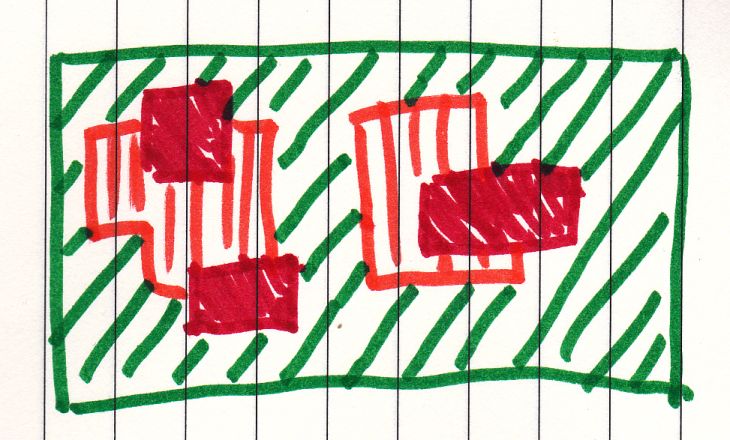
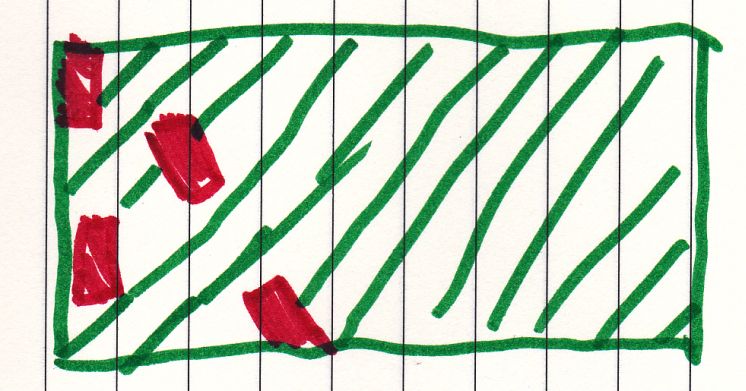
People had attempted to break in my web site. I expected a concentrated set of failed attempts like
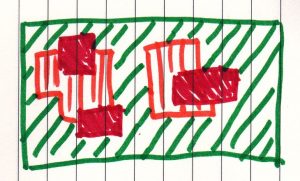
When I looked to the patterns I noticed this:
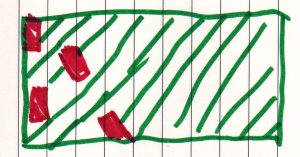
This is an example of a Blink Test. Lots of info processed in milliseconds and still getting useful info.
Facts:
- Combinations were entered once.
- Combinations where user name was the same as the password were frequently used.
- The same for combination with user name equal to admin
Conclusions:
- There is a high chance that a group tried to break in. There is a moderate chance that there were more groups which used different lists.
- A popular user name is admin. See the first column.
- Single words are favourite, followed by words and numbers.
- Some user names and passwords were linked to my blog.
- My blog posts are read.